Betty Skills, Tone of Voice & Segmentation

Betty just got a lot smarter — and a lot more personal. New features give you fine-grained control over what Betty can do and how she sounds.
Betty AI Skills 🎯
Betty now has a Skills system — a set of specialized capabilities that teach her how to perform specific tasks. Skills like "give feedback on this email", "check all links", or "review accessibility" give Betty deeper knowledge in focused areas.
When you open the chat, you'll see conversation starter pills suggesting common tasks Betty can help with. Behind the scenes, each skill contains detailed instructions that are loaded on demand, so Betty stays fast while still having access to deep expertise when you need it.
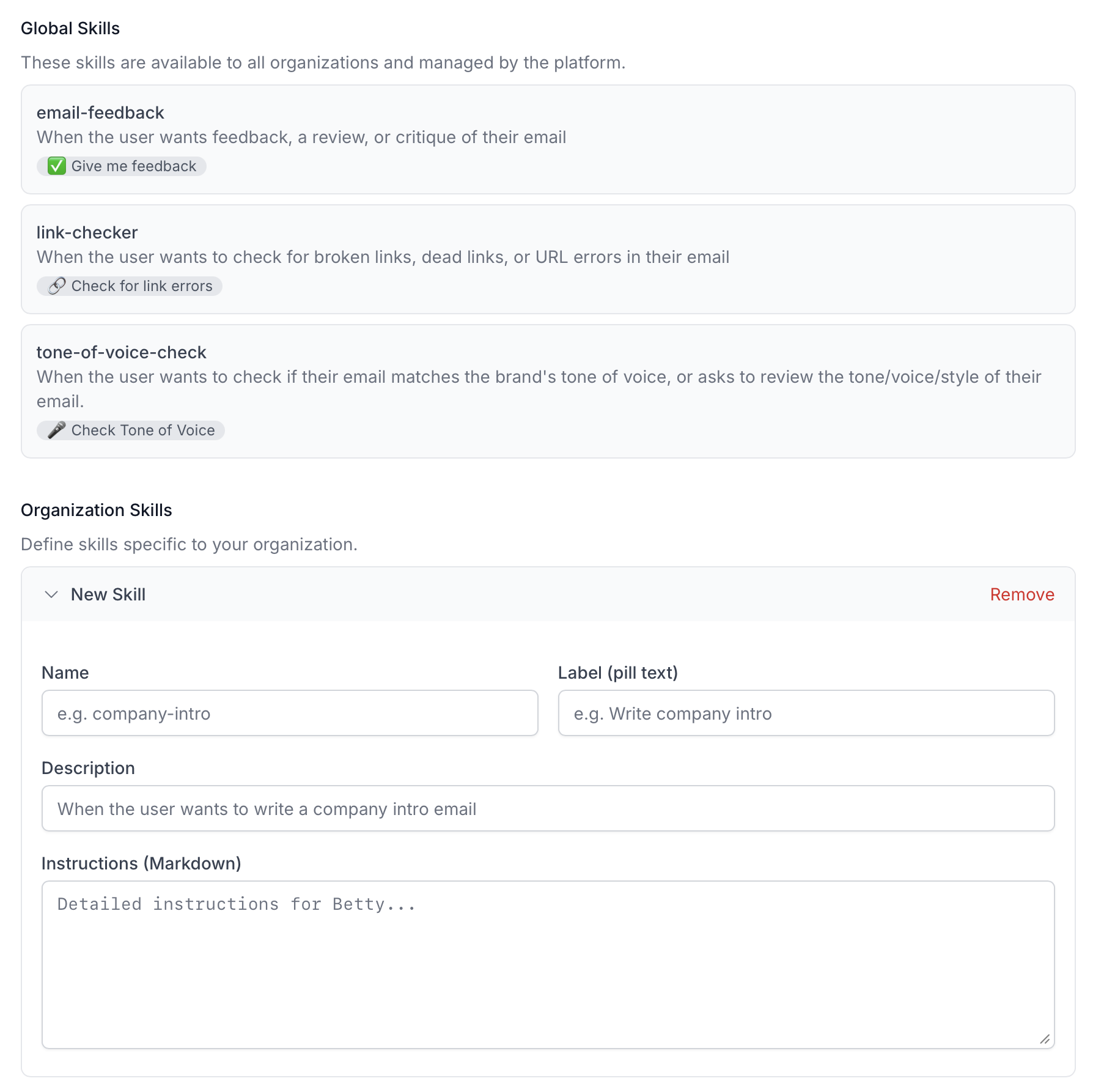
Organizations can also add their own custom skills to teach Betty workflows and conventions specific to their team — for example, how to create a specific type of campaign.
Tone of Voice ✍️
Every brand communicates differently. With the new Tone of Voice setting, you tell Betty exactly how your emails should read — and she follows your lead. Whether your style is warm and conversational or sharp and professional, Betty adapts.
Head to Betty AI Settings and describe your brand's tone in your own words. Want short sentences at a grade 8 reading level? Prefer no emojis in transactional emails? Just say so.
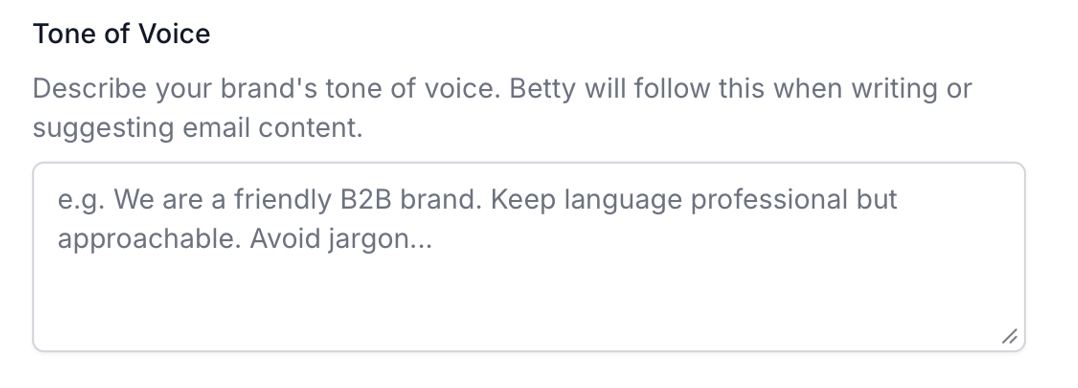
From that point on, every piece of email copy Betty writes or suggests will match your guidelines — subject lines, body copy, CTAs, all of it.
Segmentation — Coming Soon 🎯
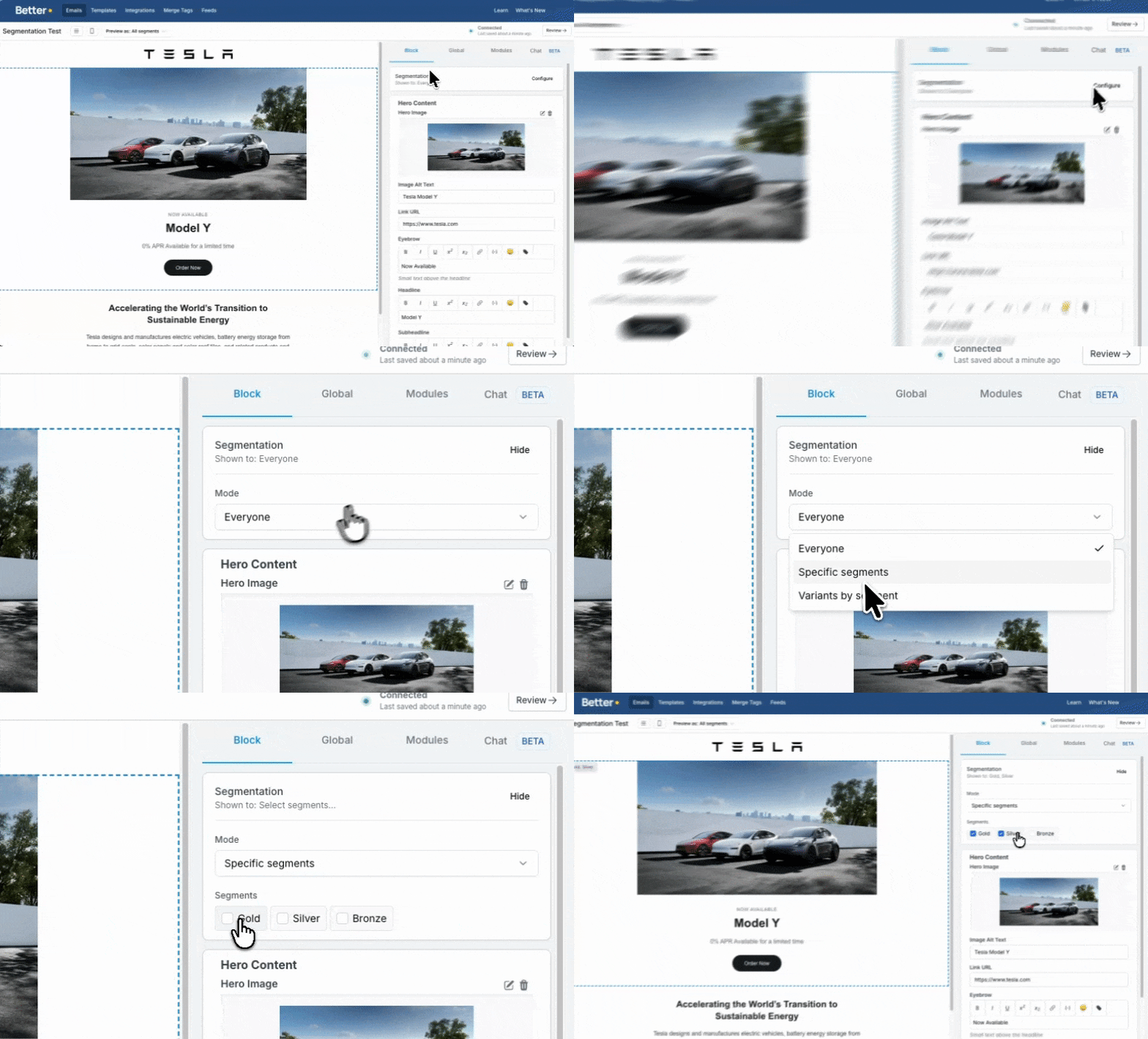
Full support for segmentation within the editor is on its way. Each block can be targeted to specific audiences, fully customizable to fit your needs.
This is module-based segmentation that natively works with any ESP — no custom integrations required. You have two powerful options: build your own segmentation setup and give your subscribers an easy way to segment themselves without any prior knowledge, or train Betty to help you set it up and manage it for you.