API quickstart
This guide shows the shortest path from creating an API key to making a request against the Better Email API.
1. Create an API key
Organization admins can create API keys from Better Email:
- Open Settings.
- Go to API Keys.
- Create a new API key.
- Copy the key when it is shown and store it securely.
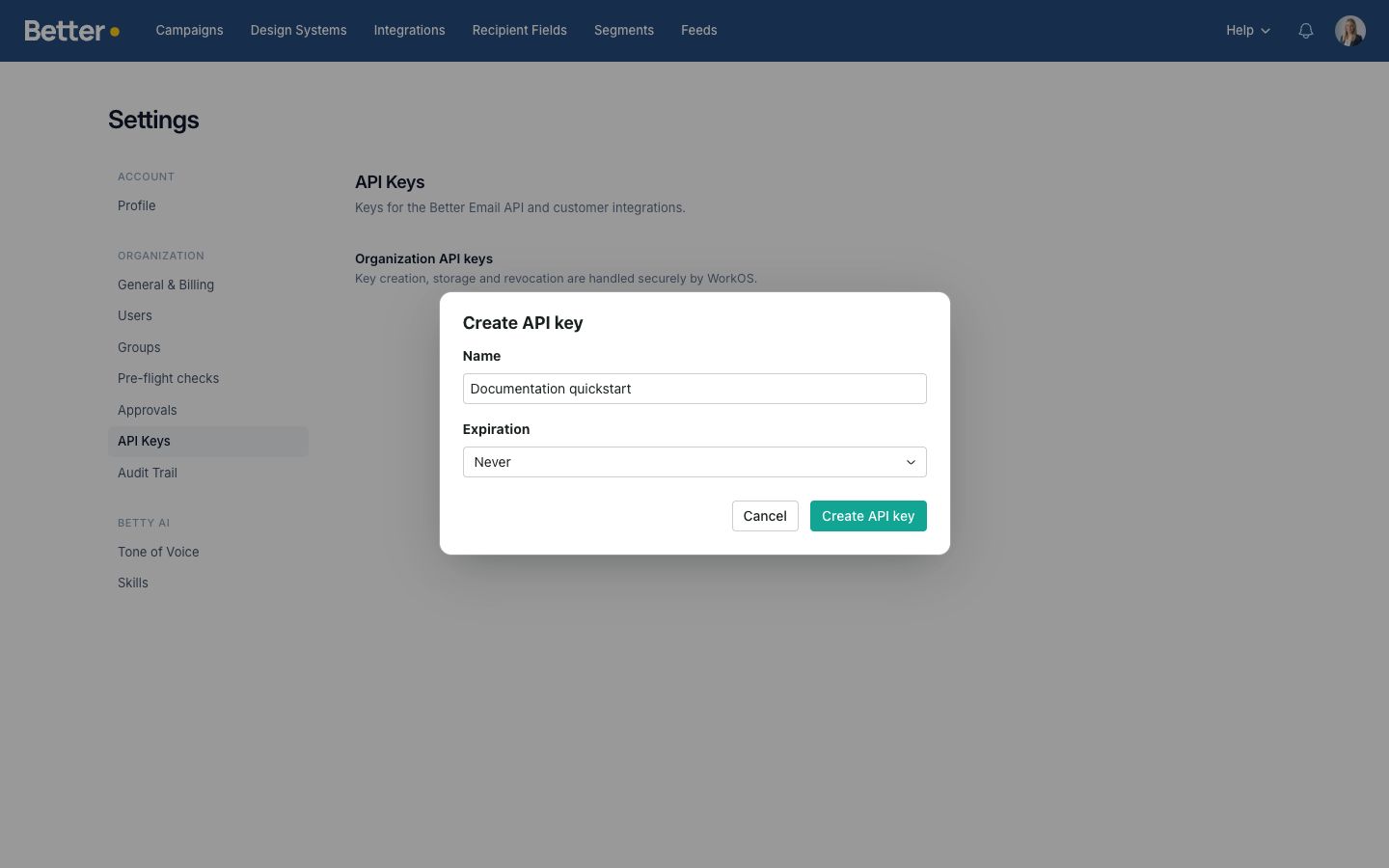
The full key is only meant for server-side systems that you control. Do not paste it into frontend code, public repositories, shared screenshots, or support tickets.
2. Store the key
Store the API key as an environment variable in the system that will call Better Email:
export BETTER_EMAIL_API_KEY="your_api_key_here"
Use your own secret-management system in production.
3. Make a request
List the recipient fields available to your organization:
curl https://app.better.email/api/v1/recipient_fields \
  -H "Authorization: Bearer $BETTER_EMAIL_API_KEY" \
  -H "Accept: application/json"
A successful response returns a JSON object with a recipient_fields array:
{
  "recipient_fields": [
    {
      "id": 123,
      "name": "First name",
      "key": "first_name",
      "data_type": "text",
      "allowed_values": null,
      "insertable": true,
      "source": "api",
      "integration_id": null,
      "esp_field_name": null,
      "custom_insertion_code": null,
      "custom_value_expression": null,
      "created_at": "2026-05-04T09:00:00.000Z",
      "updated_at": "2026-05-04T09:00:00.000Z"
    }
  ]
}
4. Create an API-managed field
curl https://app.better.email/api/v1/recipient_fields \
  -X POST \
  -H "Authorization: Bearer $BETTER_EMAIL_API_KEY" \
  -H "Content-Type: application/json" \
  -H "Accept: application/json" \
  -d '{
    "recipient_field": {
      "name": "Loyalty score",
      "key": "loyalty_score",
      "data_type": "number",
      "insertable": true
    }
  }'
Better Email marks fields created this way with source: api. API-managed fields can be updated and deleted through the API. Manual fields and fields synced from ESP integrations can be listed and read through the API, but cannot be changed through it.
For fields that need ESP-specific output, use custom_insertion_code for the full replacement snippet inserted into exported content, and custom_value_expression for the runtime value expression used in segment or condition logic. For example, an SFMC field can use %%=v(@tier)=%% for insertion and @tier for value checks.
Next steps
- Read Authentication before connecting production systems.
- Review Errors and conventions for status codes and error handling.
- Use the recipient fields reference for the full request and response contract.